Hiring Speakers for a Party: Connecting Your Phone and Microphone
Want party music without booking a DJ? Check phone connections, microphones, cables and setup before hiring speakers, with collection and return from Berkhamsted HP4.
You can hire a speaker system and run your own party music, but the useful question is not just whether a speaker has Bluetooth. You need a complete connection from your particular phone to the system, a microphone arrangement if you want announcements, and someone who knows how to operate it. Tell the supplier what you want to connect before choosing a package.
Motion's standard PA hire is collection and return only from Berkhamsted HP4. Full collection details are sent after booking. It is a self-setup service, so check the journey, agreed collection window and vehicle space before making plans around it. Do not assume that an ordinary speaker-hire booking includes delivery, installation or a technician at your venue.
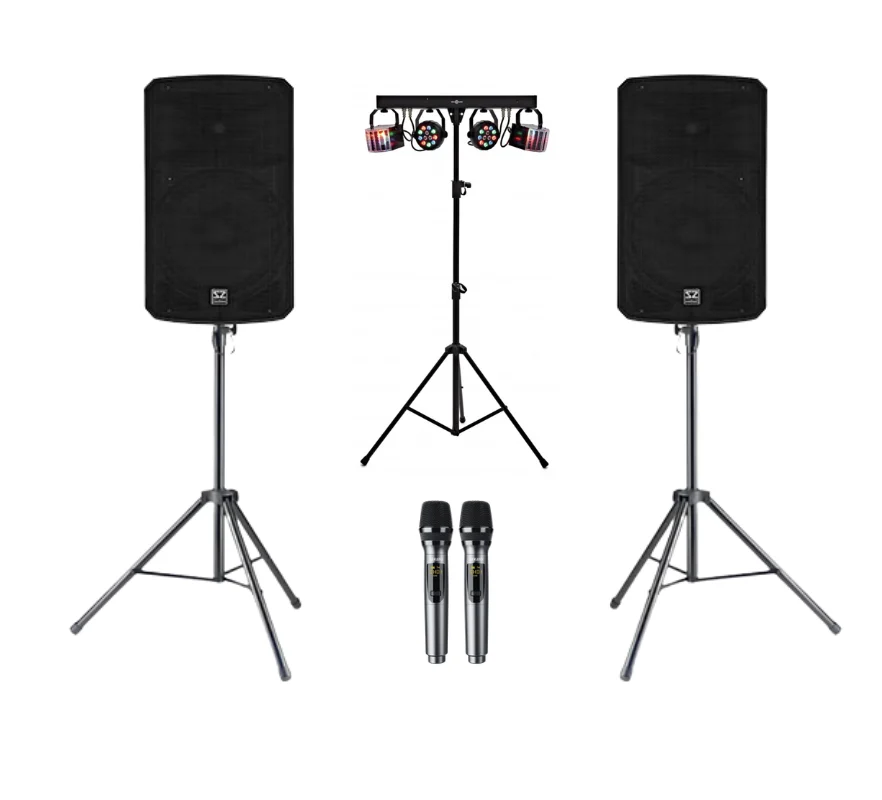
What are you connecting to the hired speakers?
| Your plan | Check before booking | Do not assume |
|---|---|---|
| Music from a phone | Phone model, audio output and the package's wired or Bluetooth input | Every adapter carries audio or fits every phone. |
| Music and announcements | How music and a microphone are mixed and controlled | A wireless microphone connects directly to any speaker. |
| A singer joining in | Microphone type, backing tracks, mixer inputs and monitoring needs | A basic party package covers a live performance. |
| DJ decks or a controller | Output connections and the cables required by the hired system | The cables used with home speakers are suitable. |
| Two rooms | Separate sources, controls and speaker coverage | One pair of speakers provides independent music in both rooms. |
Can I play music from my phone?
Usually there is a suitable way to connect a phone, but confirm the exact arrangement for your booking. State whether your device uses USB-C, Lightning or a headphone socket. If an adapter is needed, agree who supplies it and test it with the same phone you will use at the event. Sending a photograph of the device and its connections is more useful than saying it is a fairly new phone.
Where Bluetooth is available, test the connection before guests arrive and keep the source device nearby. A wired connection can be a useful alternative, but it still needs the correct cable and input. Charge the phone, arrange power and check notification settings so calls or alerts do not interrupt the music. Avoid moving the connected device around the venue or handing it to several guests.
Prepare more music than you expect to need and give one person responsibility for it. Check the music service's account and connection requirements before the party; speakers do not provide a music subscription or an internet connection. If you want someone to handle requests, announcements and changes in atmosphere throughout the night, a party DJ may be a better fit than equipment-only hire.
Does a wireless microphone work by itself?
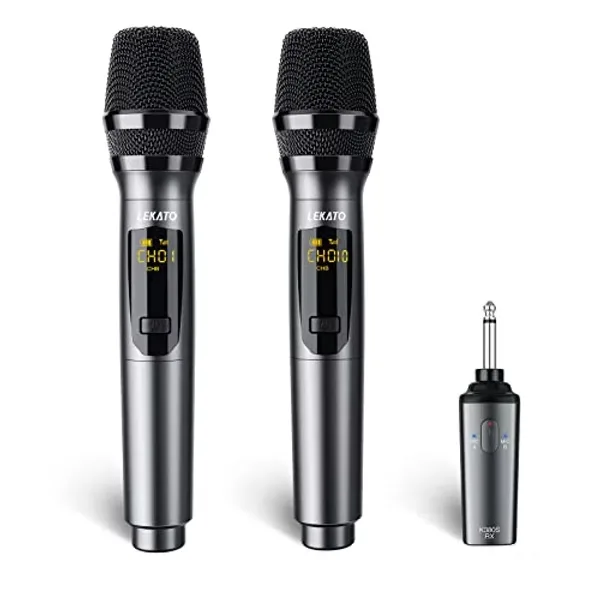
A wireless microphone normally works with a matching receiver, which then connects to the sound system. Ask whether the quoted hire includes that receiver, the required audio connection and the appropriate power or batteries. If music and speech need separate controls, discuss the mixer arrangement too. The fact that both devices are wireless does not mean a microphone will pair with a Bluetooth speaker.
How do I avoid microphone squeals?
Feedback happens when amplified sound gets back into an open microphone and is amplified again. Keep the microphone away from loudspeaker faces, avoid pointing it towards a speaker and test at a modest level. Speak clearly into the microphone rather than compensating for a distant voice by turning it up. If it squeals, reduce the microphone level and reposition it before trying again.
Follow the instructions supplied with your particular equipment. Room shape, microphone type and speaker placement all matter, so do not copy somebody else's control settings without checking them. For a panel discussion, live singer or a programme involving several microphones, describe the whole event rather than adding a microphone to a party package and hoping it covers everything.
A first-time setup checklist
- Confirm collection and return from Berkhamsted HP4 and make sure the equipment fits your vehicle.
- Agree the complete equipment list, cables, adapters and microphone accessories before collection.
- Check the venue's power points, access and permitted music levels.
- Leave room for stands and cables without blocking walkways or exits.
- Follow the supplied connection and power-on instructions, then test music and speech before guests arrive.
- Choose one person to operate the system and keep drinks away from the equipment.
When should I ask for a managed sound setup instead?
Ask about a managed setup if you need installation, an operator, several presentation microphones or sound coordinated across different parts of an event. That is a different brief from collecting party speakers. Our event-production team can review the venue, schedule and technical requirements through a tailored proposal. Keep the ordinary collection-only PA enquiry for equipment you are happy to collect, set up and return yourself.
For self-setup hire, send the date, venue, guest numbers, phone or music source, and any microphone requirements. We will help identify the right equipment to collect.
Enquire About PA Hire